

Credit card reconciliation is one of those tasks that you know you need to do, but rarely look forward to. Let’s face it, financial reconciliation can be tedious. Matching transactions across credit card statements, enterprise resource planning (ERP) records, and internal documentation can drain time, especially when you’re doing it manually.
That’s where credit card reconciliation software comes in.
The right platform automates matching, flags discrepancies, and helps accounting teams close the books faster and more accurately. Whether you’re scaling operations or tightening compliance, these tools simplify reconciliation across teams and time zones.
In this guide, we’ll break down the best credit card reconciliation software currently on the market. These products can simplify your workflows and turn scattered data into a benchmark for success.
What is credit card reconciliation?
Credit card reconciliation is the process of matching credit card transactions recorded in your accounting system to those reported by your credit card provider. It verifies that all charges are accurate and coded to the correct general ledger (GL) accounts.
For accounting teams, reconciliation plays a key role in verifying that employee purchases, recurring charges, and other business-related expenses are legitimate and properly documented. By resolving discrepancies early, companies can avoid errors in their financial statements, detect potential fraud, and streamline the month-end close.
Best credit card reconciliation software
Below, we’ve reviewed the leading credit card reconciliation software, covering their features, use cases, and how they fit into modern accounting workflows. Each tool offers different levels of reconciliation automation, reporting, and ERP integration, so you can find the right fit based on your team’s needs.
1. NetCash

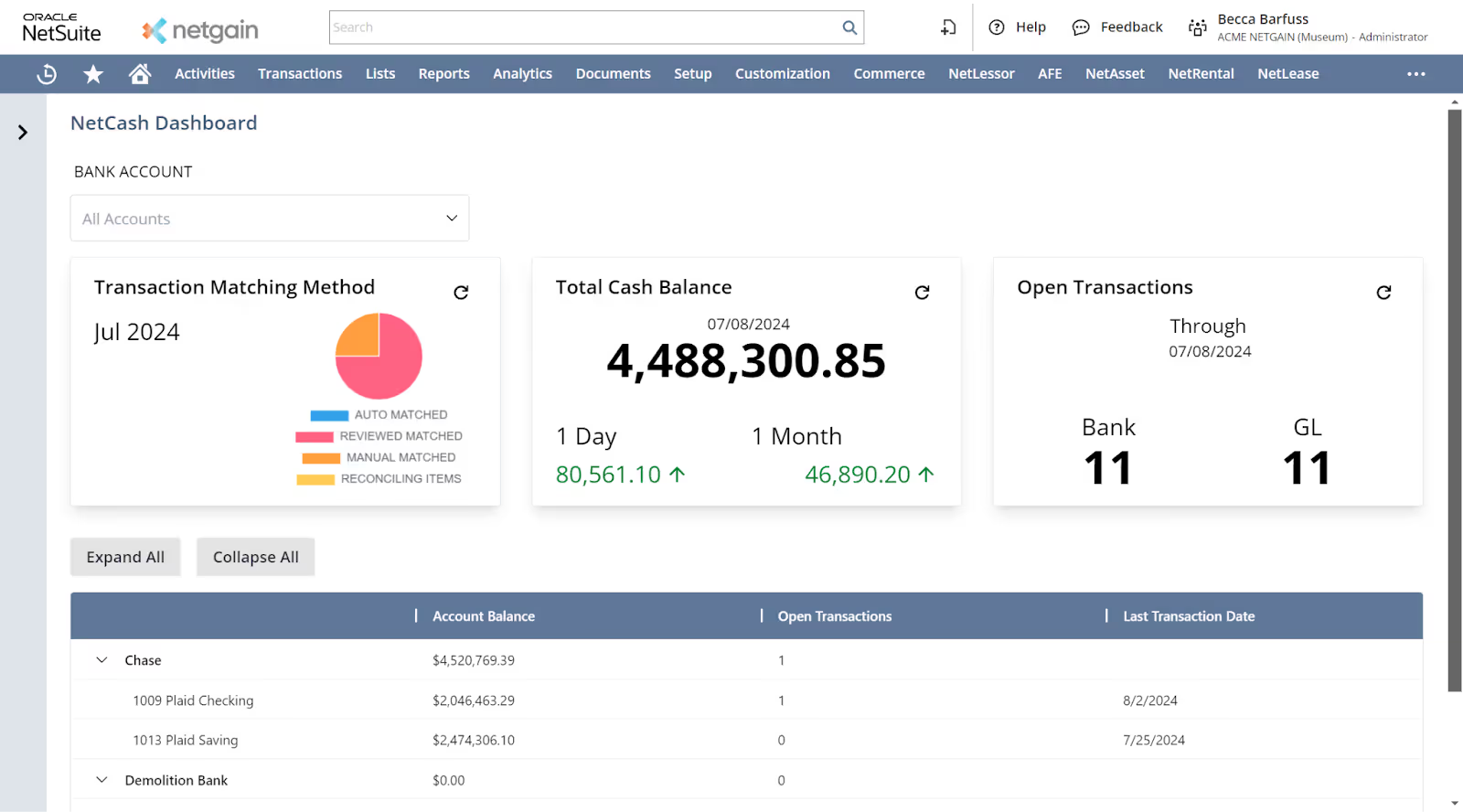
NetCash is a NetSuite-native solution built for accounting teams looking to automate credit card reconciliation and gain real-time visibility into cash flow. It combines bank and credit card data with GL entries to eliminate manual processes and generate rule-based automation that accelerates reconciliation and ensures consistency—no spreadsheets required.
Because NetCash is built directly into NetSuite, users can manage reconciliations, analyze trends, and drill into entity-specific transactions from within their ERP environment. The tool includes AI-powered features to help users query their cash and credit card data instantly, as well as open banking and import capabilities to support both automated and manual bank connections.
NetCash is ideal for companies seeking to replace slow, spreadsheet-heavy bank and credit card reconciliation software or NetSuite Match Bank Data with a streamlined solution designed to work inside NetSuite.
Features:
- NetSuite-native cash reconciliation allows users to match credit card and bank transactions directly to GL entries without leaving the ERP environment.
- Flexible automation rules empower users to create flexible and powerful matching rules beyond the capabilities of other bank reconciliation tools
- Automated direct cash flow reporting provides daily, real-time visibility into inflows and outflows across all NetSuite entities, starting Day 1 of the close.
- AI-powered cash flow assistant enables users to ask natural language questions (such as "What were our largest outflows this month?") and receive instant insights.
- Open banking and CSV imports support both real-time and manual bank connections, ensuring broad compatibility with global banks.
- Drillable transaction views link each cash movement back to its NetSuite source record, offering instant access to detailed financial context.
Pros:
- Smooth implementation and more guided than other financial tools users have adopted (Source)
- Built-in automations reduce the time spent on repetitive processes and help teams eliminate spreadsheet-based workflows (Source)
- Provides accurate, system-generated reports without manual cleanup or spreadsheet work (Source)
Cons:
- Only available in NetSuite.
Pricing: NetCash offers customized pricing based on company size, implementation scope, and the number of connected bank accounts.
Book a personalized demo to see how NetCash helps you close your books faster and more accurately—no matter the size of your business.
2. BlackLine

BlackLine is a financial close management platform that automates bank and credit card reconciliations, reduces reliance on spreadsheets, and maintains accounting accuracy. It supports high-frequency reconciliation workflows and helps accounting teams centralize documentation, approvals, and audit trails.
Features:
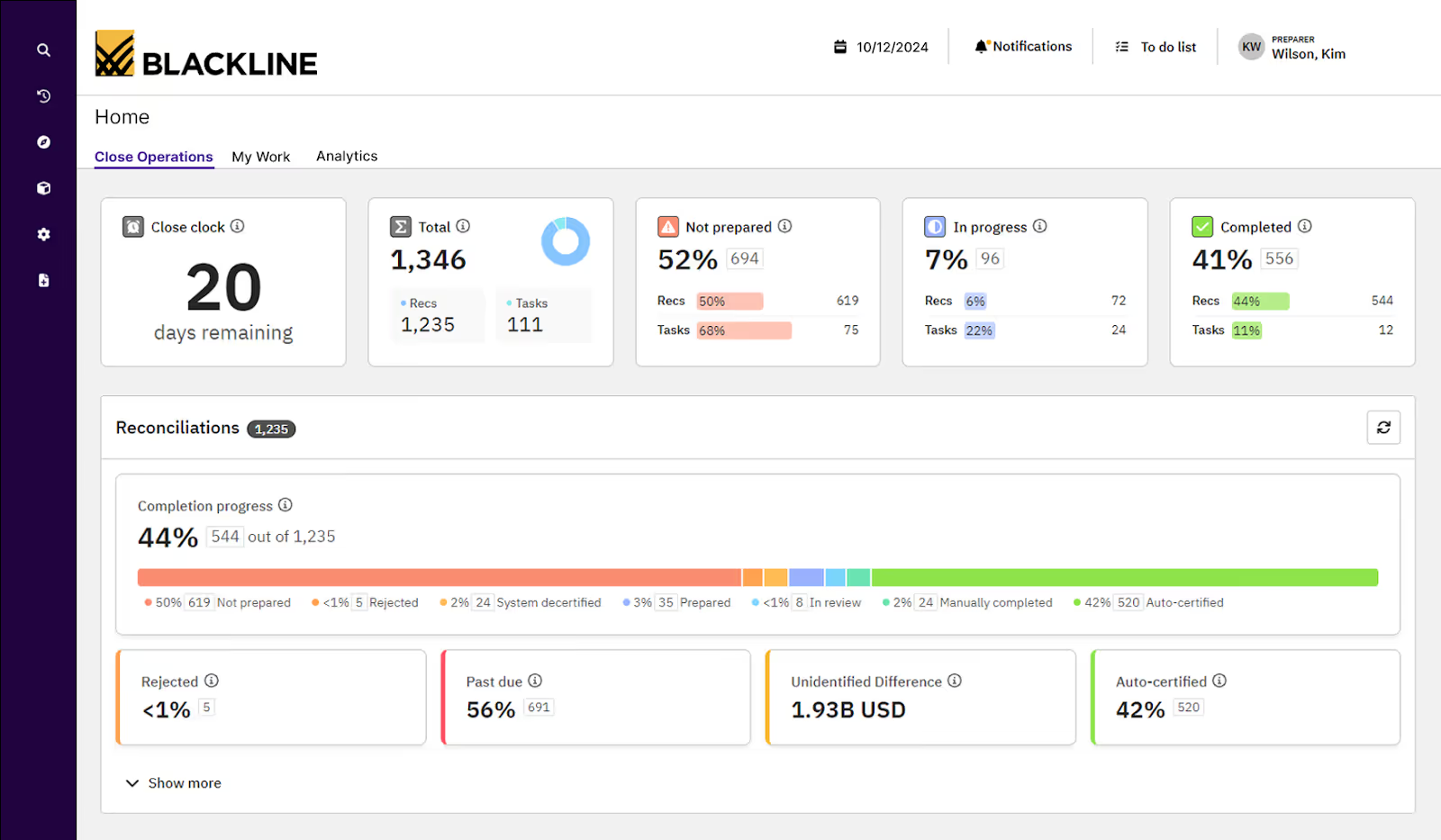
- Auto-certification logic allows low-risk account reconciliations to be approved automatically based on pre-defined criteria.
- Integrated matching engine summarizes results, creates reconciling items, and supports drill-down to transaction-level detail.
- Time-based transaction grouping organizes current and unresolved items into a single view for faster identification of variances.
- Audit trail tracking captures user activity and approval workflows across the reconciliation lifecycle.
- The central dashboard provides real-time status updates across all bank and credit card reconciliations.
Pros:
- Helps eliminate manual matching on large datasets and reduces time spent on version-controlled offline reports (Source)
- Provides strong audit tracking and interconnected modules that support self-service capabilities across teams (Source)
Cons:
- Some users note that the learning curve is steep during implementation, especially for companies seeking bank and credit card reconciliations only (Source)
- The import utility and documentation resources can be difficult to navigate without additional support (Source)
Pricing: BlackLine offers customized pricing based on the modules selected, company size, and implementation scope.
3. FloQast

FloQast is a close management and reconciliation software built to help accounting teams reduce manual processes and standardize workflows for bank, credit card, and GL reconciliations. It centralizes documentation, automates transaction matching, and integrates with cloud storage platforms.
Designed for mid-market and enterprise finance teams, FloQast supports reconciliation workflows across multiple entities and data sources. Its platform includes tools for managing task assignments, approval workflows, and real-time reconciliation progress while maintaining documentation for audits.
Features:
- Automated reconciliation matching enables users to match transactions across banks, credit card statements, and GL accounts using rule-based logic.
- Reconciliation task management lets teams assign preparers, reviewers, due dates, and review notes for each reconciliation item to support accountability and compliance.
- Document integration connects to Box, Google Drive, SharePoint, and other storage systems to organize and access supporting files within existing workflows.
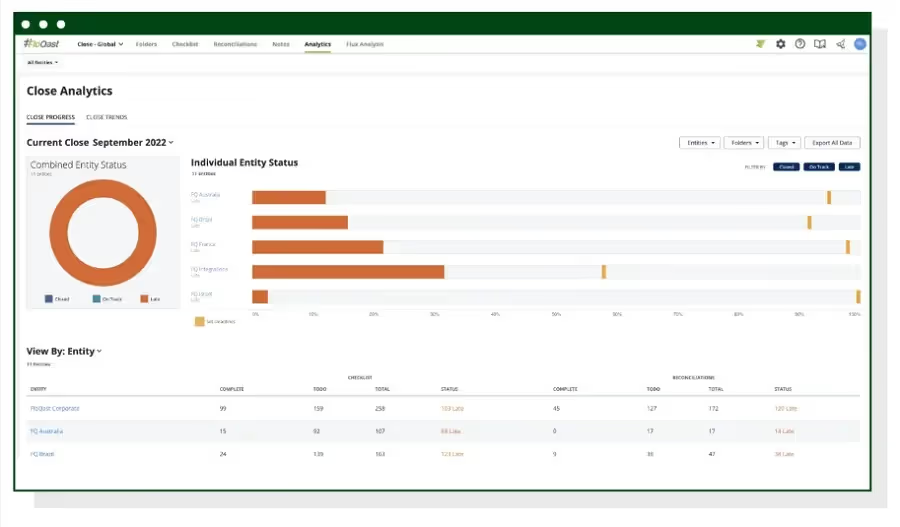
- Real-time dashboard visibility provides an overview of close progress, task status, and reconciliation readiness across business entities.
- Communication integrations allow teams to receive updates and collaborate through Slack and Microsoft Teams for reconciliation updates and task completion.
Pros:
- Provides centralized visibility for global tracking, reconciliation status, and audit readiness (Source)
- Helps organize and prioritize tasks using checklists and assigned due dates for individual responsibilities (Source)
Cons:
- Slack integration lacks flexibility for sharing targeted updates to specific channels (Source)
- Users note a learning gap around underutilized features and would prefer more structured onboarding resources (Source)
- Limited automation rules; software instead relies on AI, and users find it hard to understand reasoning behind AI decisions
Pricing: FloQast offers customized pricing based on business size, modules selected, and implementation requirements.
4. Sage Intacct

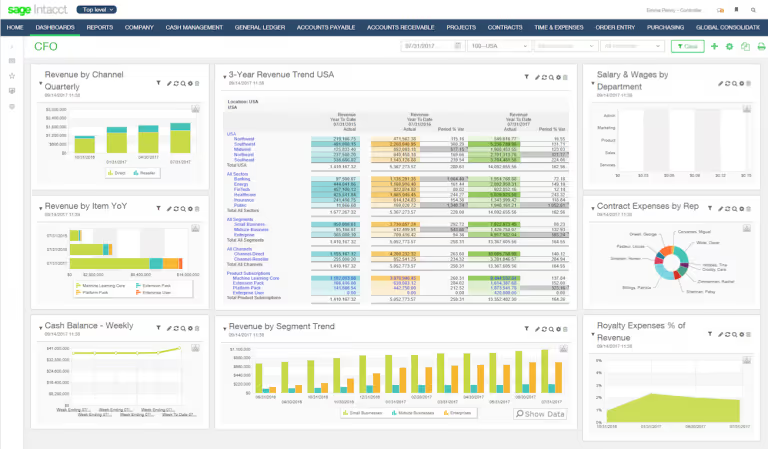
Sage Intacct is a cloud-based financial management system that includes automated bank and credit card reconciliation tools. It’s designed for mid-market companies managing multiple entities, offering real-time visibility into cash flow, transactions, and financial risk. The platform supports high-volume reconciliation workflows and automates the reconciliation of multiple accounts.
Features:
- Global bank connectivity enables automated bank feeds and imports from over 10,000 financial institutions.
- AI-powered matching engine automates matching of card transactions to GL entries and improves over time with use.
- Rule-based transaction matching allows users to define patterns and automate recurring matches to reduce reconciliation time.
- Real-time exception detection highlights discrepancies and allows users to resolve variances quickly during daily card reconciliations.
- Reconciliation control gives users the ability to reopen and manage card transactions after the fact.
Pros
- Simplifies intercompany transactions and makes entity switching more efficient for multi-entity organizations (Source)
- Offers straightforward payment application workflows with clear error resolution paths (Source)
Cons
- The bank reconciliation module lacks some flexibility in matching bank transactions manually or identifying discrepancies caused by journal entries (Source)
- Reporting features may not flag imbalances clearly, increasing the risk of missed errors without manual review (Source)
Pricing: Sage Intacct pricing is quote-based and varies depending on the modules selected, the number of entities, and implementation needs.
5. NetSuite

NetSuite's credit card reconciliation capabilities are part of its broader account reconciliation suite, offering automation, transaction matching, and centralized workflows for finance teams. It helps organizations reduce manual work, accelerate period-end close, and improve reconciliation accuracy across credit card and bank transactions.
Designed for mid-market and enterprise teams, NetSuite supports reconciliations across entities by integrating data directly from its ERP system and enabling customizable matching rules for high-volume transactions.
Features
- Automated transaction matching reconciles credit card charges against GL entries, invoices, and bank feeds.
- Drill-down and audit tracking reveal discrepancies with direct links to source transactions within NetSuite.
- Flexible reconciliation templates allow you to design your own formats to match your company's credit card reconciliation workflow.
- Task and workflow management monitors reconciliation status, assigns roles, and enforces deadlines through a centralized dashboard.
Pros
- Reduces manual workload with automation features like recurring billing and reconciliations (Source)
- Helps centralize financial management and improves real-time visibility (Source)
Cons
- Setup and customization often require technical expertise or outside consultants (Source)
- The interface and reporting tools can be hard to use without admin help (Source)
- Software has limited and rigid automation rules
Pricing: NetSuite customizes its pricing based on the company’s specific needs.
6. ZoneReconcile
ZoneReconcile is a native NetSuite solution for automating reconciliation of bank, credit card, and payment service provider (PSP) transactions. It connects to global banks, supports Secure File Transfer Protocol (SFTP) imports, and centralizes reconciliation within NetSuite. Finance teams can create custom rules to match transactions based on amount, date, or reference number, and drill into exceptions for resolution without leaving the ERP.
Features
- Multi-source reconciliation connects to more than 12,000 banks and supports credit card and PSP statements via direct or SFTP imports.
- Customizable matching rules enable 1:1, 1:many, or many:many logic using fields like amount, date, and reference number.
- Smart import with custom mapping supports one-time setup for recurring file formats without external scripts.
- In-system exception handling flags unmatched items and allows direct drill-down to source records for resolution.
- Integrated transaction tagging and reporting provide NetSuite dimension coding and dashboards for audit visibility.
Pros
- Automates time-consuming matching tasks, reducing the need for manual checks. (Source)
Cons
- Processing speed can lag with large volumes, especially during high-traffic periods like month-end close. (Source)
- Initial setup and rule configuration can be complex, with some users needing more visual guidance or support. (Source)
Pricing: ZoneReconcile pricing is tailored based on company size, reconciliation volume, and whether it's bundled with other Zone apps like ZoneCapture or ZoneApprovals.
The importance of credit card reconciliation
Credit card reconciliation plays a crucial role in maintaining accurate financial records, supporting regulatory compliance, and detecting fraud. Without a consistent reconciliation process, you’re much more likely to risk misreporting expenses, overpaying vendors, or missing unauthorized charges that slip through unnoticed.
For future-ready accounting teams, reconciliation needs to ensure that every expense legitimately aligns with real activity, from transport on a business trip to cleaning bills and the purchase of raw materials. This practice strengthens internal controls, especially in businesses with high transaction volumes or multiple departments using company cards. It also prepares you for often complex compliance standards, avoiding a last-minute rush in the lead up to audits and allowing you to close the books faster.
Reconciling credit card statements regularly also improves visibility into cash flow. When you can verify balances and address discrepancies promptly, it’s easier to forecast spend and avoid budget overruns. This level of clarity supports better financial decision-making across leadership and the organization in general.
By automating all of these time-consuming tasks, you can free up your team’s time for higher-value activities.
Types of credit card reconciliation
When we talk about credit card reconciliation, it’s important to distinguish between two very different workflows: credit card statements for company expenses vs. credit card merchant services for customer payments.
In this article, we're focused entirely on the first: reconciling your company’s credit card expenses to your credit card GL account.
This type of reconciliation ensures that every transaction charged to a corporate card matches what’s recorded in your accounting system. It helps accounting teams verify purchases, appropriately code them, and keep them in line with your internal policies.
Common scenarios include:
- Verifying travel and entertainment expenses charged by team members
- Matching recurring SaaS or vendor payments
- Identifying duplicate or unauthorized charges
- Ensuring GL accounts reflect the correct period and amount for each charge
By contrast, reconciling credit card merchant services, i.e. payments received from customers, is a separate process that falls under accounts receivable and often involves payment processors, merchant accounts, and payout batches.
How to conduct credit card reconciliation
Reconciling company credit card expenses is a key part of closing the books accurately each month. While the process can be time-consuming when done manually, breaking it into clear steps helps reduce errors and improve consistency. Here’s how accounting teams typically approach it:
- Gather your records: Start by collecting your company credit card statements for the period you’re reconciling. You’ll also need access to your GL account for credit card expenses, any employee expense reports, and supporting receipts or documentation.
- Import transactions: Next, import your credit card transactions into your accounting or reconciliation software. A NetSuite-native tool like NetCash automates your imports, ensuring clean data without manual uploads.
- Match expenses: Go line by line to match each credit card transaction with the corresponding entry in your GL. Most reconciliation software will flag matched entries automatically and surface any unmatched transactions for review.
- Resolve discrepancies: Investigate any differences between your GL and credit card statement. This might include duplicate entries, uncategorized expenses, or missing documentation. Work with cardholders or department managers to clarify and correct these as needed.
- Confirm and report: Once everything is reconciled, mark the period as closed and generate any necessary reconciliation reports. These reports are essential for audits, internal reviews, and month-end financial packages.
Automating even part of this workflow with credit card reconciliation software can help your team reconcile faster with a much lower risk of human error.
Common credit card reconciliation challenges
Even with a solid process in place, credit card reconciliation often comes with its own set of hurdles. These challenges can slow down the month-end close and lead to inaccurate reporting if you don’t address them early. Below are a few of the most common obstacles accounting teams face and how to solve them.
Mismatched transactions
Sometimes, the amounts listed on credit card statements don’t match what’s recorded in the GL. This might be due to duplicate entries, incorrect categorization, or timing differences, like when a charge appears in the period after it actually occurred.
Solution:
Use automated reconciliation software with smart matching to surface discrepancies instantly. Look for tools that support partial matches and allow users to drill into transaction-level details to adjust or reclassify entries quickly.
Lost receipts
Missing documentation is a recurring issue, especially for travel or incidental purchases. Without proper receipts, it’s hard to verify charges or justify expense categorizations during audits.
Solution:
Require cardholders to submit receipts in real time via mobile apps or expense tools that sync with your accounting platform. Many reconciliation systems also allow teams to attach receipts directly to transactions. AI accounting software can scan these receipts, abstracting all key information to reduce the burden on your colleagues.
Diverse data sources
Reconciling data across multiple systems, such as bank portals, expense software, and your ERP, can create version control issues and increase the risk of human error.
Solution:
Centralize your reconciliation process in one platform that integrates directly with an ERP like NetSuite. With a single source of truth, you can confidently import transactions, automate matching, and track documentation in one place.
Credit card reconciliation best practices
To keep your books clean and your month-end close on track, it’s essential to approach credit card reconciliation with consistency and structure. Below are best practices that help accounting teams reduce errors, stay audit-ready, and maintain visibility across all expenses.
1. Reconcile monthly (or more often)
Reconciling every month keeps records current and manageable. However, some companies may benefit from more frequent check-ins, especially if they have high volumes or multiple cardholders.
The biggest limitation to reconciling more often is typically tied to expense approvals. If you review and approve employee charges weekly, you may be able to reconcile on a rolling basis. Ultimately, the best cadence depends on your team’s internal workflow and how quickly your colleagues submit and approve expenses.
2. Set clear deadlines
Without hard cutoffs, reconciliation tasks often slide down the priority list in favor of more urgent accounting needs. But the longer you delay reconciliation, the more difficult it becomes to catch discrepancies or gather supporting documentation.
Establish fixed deadlines for every part of the process, such as when cardholders must submit receipts, when managers need to approve expenses, and when the accounting team finalizes reconciliation. These deadlines should align with your organization’s broader month-end close calendar and checklist to maintain a steady reporting rhythm.
Building accountability into each stage can also help avoid last-minute scrambles and ensure you book expenses in the correct period. For added structure, consider automating reminders within your ERP or reconciliation platform to keep everyone on track.
3. Assign workflow and task ownership
Credit card reconciliation involves multiple stakeholders, which can create confusion or delays if you don’t have clearly defined responsibilities. Cardholders need to submit documentation, managers must review and approve charges, and accountants are responsible for matching, coding, and resolving discrepancies.
Without clear ownership, tasks fall through the cracks, leading to missed transactions, unapproved charges, or inaccurate reporting. To prevent this, map out the full reconciliation workflow and assign specific responsibilities to each team member involved. Use tools with built-in role assignments or task tracking features to streamline collaboration.
This level of visibility helps accounting teams monitor progress, follow up when needed, and check off every box in the reconciliation cycle.
4. Use a company credit card for business expenses
Encouraging (or requiring) team members to use a corporate credit card for business-related purchases provides structure to the entire expense management process. When charges occur on personal cards before later reimbursement, it adds extra steps: collecting documentation, verifying legitimacy, and processing reimbursements manually.
Corporate credit cards eliminate those steps by centralizing purchases in a single feed, which can then appear directly in your accounting system. This reduces the risk of errors and improves tracking and control.
With the right policies and card management settings, finance teams can set limits, define acceptable categories, and receive real-time alerts for out-of-policy spending. It’s a simple change that can drive major efficiency gains and reduce reconciliation friction.
5. Implement detailed audit trails
Maintaining a complete, digital audit trail is essential for both internal oversight and external audits. Auditors expect to see clear documentation linking every transaction to its justification, whether that’s a receipt, approval, note, or expense report. Without this, companies face higher audit risk and longer review cycles.
The most efficient way to build a reliable audit trail is by using reconciliation software that allows attachments and commentary at the transaction level. This accounts for every expense and preserves context long after the transaction date.
Leverage automation with the right credit card reconciliation software
Manual credit card reconciliation isn’t just a drain on time and resources; it also presents a risk. As companies grow and transaction volume increases, relying on manual uploads and calculations makes it harder to close the books accurately and on time.
Automated credit card reconciliation software eliminates tedious tasks like manual data entry, transaction matching, and follow-ups for missing receipts. They surface discrepancies instantly, maintain real-time visibility across your GL and credit card accounts, and document every approved charge.
NetCash by Netgain offers an even more streamlined solution. Built directly within NetSuite, NetCash automates credit card reconciliation end to end, with no integrations and no switching platforms. With NetCash, accounting teams can:
- Reconcile all credit card expenses from within NetSuite
- Automatically match transactions to GL entries
- Attach receipts and notes directly to charges
- Manage approvals and maintain a complete audit trail
NetCash also supports seamless manual reconciliation for banks that don’t allow open banking, giving your team full coverage across every account and card.