NetAsset Add-On module
Fixed asset tax depreciation software for NetSuite
Your accounting and tax teams know the rules.
Tax Complete brings them into NetSuite automatically as a tax depreciation software add-on to NetAsset, handling MACRS, mid-quarter conventions, bonus depreciation, and IRS tax forms, so your team can focus on reviews, not calculations.












Common tax depreciation challenges
Unlike book depreciation, tax depreciation has no gray area. The IRS sets the rules, the tables are fixed, and every asset must be assigned correctly. And for teams managing hundreds or thousands of assets, staying on top of that complexity year after year without a dedicated tax depreciation software is where the real burden lives.
The benefits of fixed asset depreciation software
Tax Complete works directly inside NetAsset on the fixed assets you already manage in NetSuite, so there is no duplicate data entry, no separate tax system to log into, and no new interface to learn.

MACRS assignment
Tax Complete automatically assigns the correct Modified Accelerated Cost Recovery System (MACRS) depreciation method, recovery period, and convention to each asset based on its category. The rules are built in and maintained by Netgain, so your team does not have to look them up.
Bonus depreciation
Never miss a bonus depreciation election because the rules changed. Tax Complete keeps current-year Section 179 and 168 limits up to date and applies them to your fixed assets automatically, so you capture every deduction.

Mid-quarter testing
If mid-quarter convention rules apply to your fixed assets, Tax Complete catches it and adjusts automatically. Your depreciation stays compliant without your team having to run the test manually or remember to check.

Tax forms
Walk into tax season with IRS Forms 4562 and 4797 already prepared. Tax Complete generates both forms directly from your asset data in NetSuite, cutting out the manual year-end work your team dreads.
Reviews & overrides
Automation handles the heavy lifting, but your tax team stays in control. Every MACRS assignment and bonus election is visible at the individual asset level, so you can review, verify, and override anything that needs a closer look.
Non-GL schedules
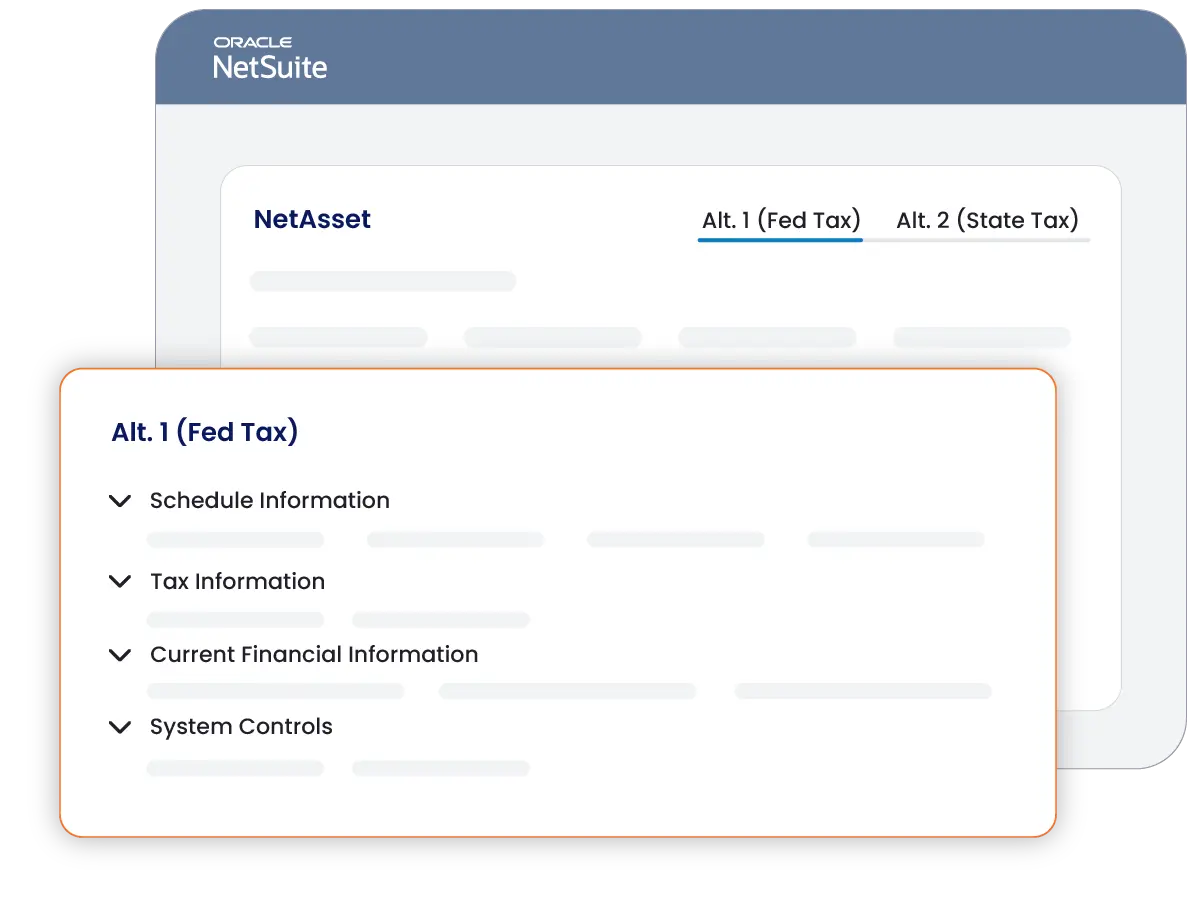
Run your tax depreciation as often as you need without touching your books. Because tax schedules are non-GL posting, your team can rerun, adjust, and finalize on their own timeline without worrying about period closes or GL impacts.
See Netgain's fixed asset tax depreciation software in action
See how Netgain’s fixed asset tax depreciation software, Tax Complete, automates MACRS assignment, bonus depreciation elections, and tax form generation inside the NetAsset workflows your team already uses.
See why Netgain is trusted by accounting and operational teams
98%
Customer retention rate
9 out of 10
Clients would recommend Netgain
Assurance
Through bi-annual SOC reports
500+
Companies rely on NetAsset
Why choose Tax Complete
Explore the features of Netgain's tax depreciation software

MACRS rules library
Tax Complete comes pre-loaded with the full library of IRS asset categories, recovery periods, and MACRS depreciation tables. Run Tax Complete to assign the correct method and convention to every fixed asset placed in service for the year, using federal rules that Netgain keeps current.
Bonus depreciation elections
Tax Complete is pre-configured with the current-year Section 179 and 168 limits, so you can apply elections across your assets and let the system calculate the remaining balance to depreciate under standard MACRS rules. Individual elections can be overridden at any time.
Mid-quarter convention testing
Tax Complete automatically evaluates whether your fixed asset purchases trigger mid-quarter convention rules and switches to the appropriate quarterly depreciation tables when they do, with no manual input required from your team.
Luxury auto limitations
Mark an asset as subject to IRS luxury automobile limitations and Tax Complete applies the restricted depreciation method and deduction caps automatically, with no separate tracking process needed.
IRS tax form export
Tax Complete generates IRS Forms 4562 and 4797 directly from your fixed asset portfolio in NetSuite, so both forms are ready for your federal tax return without any manual year-end preparation.
Alternate tax schedules
Support up to 10 alternate tax schedules per asset for federal MACRS, state non-conforming depreciation, and AMT. Disposals and modifications flow through to all schedules automatically, keeping your records consistent without additional data entry.
Your business operates at an impressive scale — and that deserves a more personalized approach. Because of the complexity and impact of managing a close process with over 50 employees, a simple ROI calculation wouldn't capture the full value you can gain. One of our experts will reach out shortly to provide tailored insights and discuss how we can help you achieve a faster, more efficient close.
Want to get ahead? Schedule time with one of our experts now.
Schedule a call with usYour close process is cost efficient, but there’s more to gain!
By automating your month-end close, you’ll:
Save time: Free up hours for more strategic, high-impact work.
Reduce errors: Increase accuracy and confidence in your reports.
Boost team efficiency: Simplify workflows and minimize manual tasks.
Schedule a demo to explore the full value Netgain brings to your team.
Current State
960
hours Spent per year
$453,200
dollars SPENT per year
180% ROI
$10,080
saved per period
$125,960
annualized savings
288
hours saved per year
180%
netclose roi
Your team can save 288 hours with Netgain. Unlock your detailed report below.
Simplify
fixed asset tax depreciation
Netgain’s fixed asset tax depreciation software, Tax Complete, handles the complexity of MACRS assignment, bonus depreciation elections, and IRS tax form generation inside NetSuite, so your tax team spends less time on calculations and more time on review.
Fixed asset depreciation software FAQs
Tax Complete is a NetAsset add-on fixed asset tax depreciation software that automates federal tax depreciation for your fixed asset register inside NetSuite. It applies MACRS depreciation methods, handles Section 179 and Section 168 bonus depreciation elections, performs mid-quarter convention testing, and generates IRS Forms 4562 and 4797 for your federal tax return.
No. NetAsset handles book depreciation for U.S. GAAP and IFRS purposes. Tax Complete is a separate add-on that adds U.S. federal tax depreciation automation, bonus depreciation elections, and IRS tax form generation. It is priced based on your fixed asset volume.
You set up a tax year to define your Section 179 and 168 deductions for the period. Then you run the tax engine, which pulls all assets placed in service year-to-date, performs the mid-quarter convention test, applies bonus depreciation, and populates MACRS method assignments at the individual asset level. Run the engine when you need during the year without concern for closed periods. You can review and override any record before generating your final tax schedule.
No. Tax depreciation schedules in Tax Complete are non-GL posting, so they do not require NetAsset’s Multibook Posting add-on and Netgain strongly discourages posting tax schedules to the GL. You can run the tax engine as many times as needed throughout the year without affecting your books or requiring a separate ledger.
Tax Complete includes federal MACRS rules out of the box. For states that do not conform to federal bonus depreciation, common practice is to use a second alternate schedule without bonus depreciation applied. Up to 10 alternate schedules are supported. States with entirely unique depreciation calculations outside the federal framework are not currently supported within the system.
Tax Complete is designed to assist your internal accounting or tax team, not replace it. By automating the mechanical work of MACRS assignment, convention testing, and bonus depreciation calculations, it frees your team to focus on review, strategy, and higher-value work rather than the math behind it. For companies working with an outside firm to manage tax depreciation, Tax Complete can help reduce the scope of that engagement by bringing more of the calculation work in-house, which can meaningfully reduce what you rely on and pay an external provider to do.
Disposals entered on the main asset record automatically flow through to all associated tax schedules. Gain and loss data from disposed assets is captured and available for export via IRS Form 4797, so your tax team does not need to track disposals separately.
The best tax depreciation software for NetSuite is one that is natively built inside NetSuite, eliminates the need to maintain a separate asset list, and keeps pace with changes to federal bonus depreciation rules. Tax Complete by Netgain meets all three criteria. It uses the asset register you already maintain in NetAsset, applies current-year federal MACRS and bonus depreciation rules automatically, and generates IRS Forms 4562 and 4797 for direct inclusion in your federal tax return.