NetAsset Add-On module
NetSuite multibook accounting for fixed assets
Managing multibook accounting for fixed assets in NetSuite doesn’t have to be complex. The Multibook Posting add-on for NetAsset adds up to 3 posting alternate depreciation schedules to each asset, with automated parallel postings and no manual duplication, all inside NetSuite.












Common multibook accounting challenges
Companies operating across multiple books may need to account for fixed assets differently due to different accounting standards and business changes like mergers or cash basis reporting. Without proper tools, the process becomes manual, slow, and error prone.
The benefits of NetAsset’s Multibook Posting add-on
Multibook Posting extends everything you already do in NetAsset to a secondary accounting book.

Asset-specific inputs
Most solutions set secondary book inputs at the asset type level. The Multibook Posting add-on goes deeper, letting you configure depreciation method, useful life, in-service date, and asset value on each individual asset record, so no two assets are forced to share the same secondary schedule.
Dual-book posting
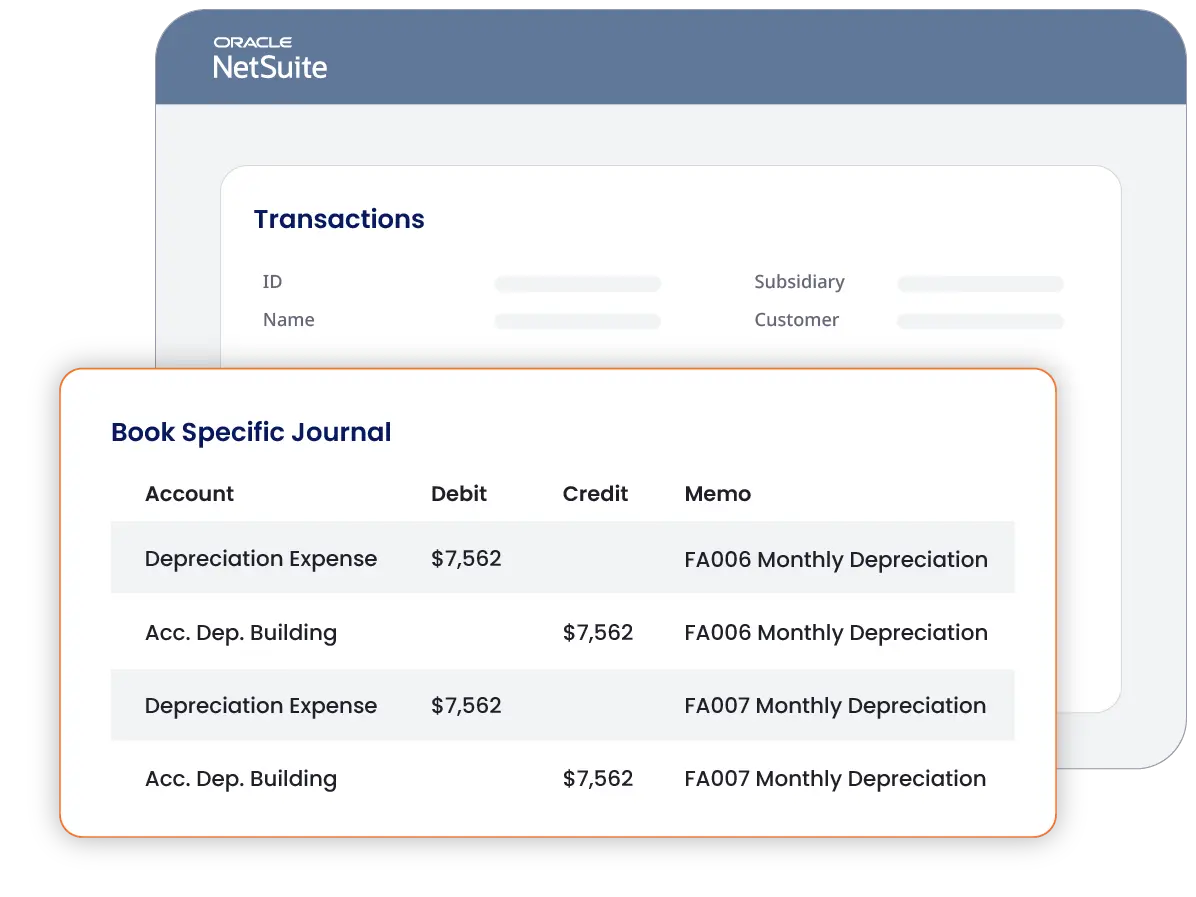
Running journal entries in NetAsset posts to multiple books at once. No separate run needed. The Multibook Posting add-on handles full multi-books and adjustment books the same way, using each asset's secondary schedule inputs automatically.

Secondary books changes
Any change on the primary book automatically carries through to all secondary books, with gain and loss calculated independently based on each book's own net book value.
Accounting requirements
Whether you're managing U.S. GAAP and IFRS side by side, reconciling accrual and cash basis books, or tracking assets across a merger or revaluation, Multibook Posting handles it.
See multibook accounting in action
See how accounting teams use NetAsset's Multibook Posting add-on to enable multibook accounting and assign secondary books to asset records inside NetSuite.
See why Netgain is trusted by accounting and operational teams
98%
Customer retention rate
9 out of 10
Clients would recommend Netgain
Assurance
Through bi-annual SOC reports
500+
Companies rely on NetAsset
Why choose NetAsset Multibook Posting
Explore the features of NetAsset’s Multibook Posting add-on

Multibook assignment
Add a full secondary depreciation schedule directly to each asset record, then assign it to a secondary book. Journal entries post to both books concurrently, with no separate run or duplicate effort.
Easy modifications/disposals
Changes to the primary asset record flow to the secondary book automatically, accounting for the changes in the secondary schedule. Disposals post on both books simultaneously, with gain and loss calculated independently based on each book's net book value.
Asset-type defaults
Set default depreciation methods and useful lives at the asset type level. When a new asset is created, those defaults populate automatically, reducing manual entry while still allowing asset-level overrides when needed.
Capitalization threshold rules
Define capitalization thresholds independently per book. If an asset falls below the threshold for your secondary book, NetAsset automatically switches the depreciation method to a direct expense with no manual adjustment required.
Searchable secondary schedules
The secondary depreciation schedule lives directly on the asset record. It is visible, searchable, and available for saved searches. All main reports include a book filter so your team can toggle between books without leaving NetSuite.
Expert implementation support
Adding Multibook Posting to NetAsset involves a specific order of operations, including data import, schedule generation, and a secondary go-live. Netgain's implementation team has done this before and will guide you through every step so nothing gets missed.
Your business operates at an impressive scale — and that deserves a more personalized approach. Because of the complexity and impact of managing a close process with over 50 employees, a simple ROI calculation wouldn't capture the full value you can gain. One of our experts will reach out shortly to provide tailored insights and discuss how we can help you achieve a faster, more efficient close.
Want to get ahead? Schedule time with one of our experts now.
Schedule a call with usYour close process is cost efficient, but there’s more to gain!
By automating your month-end close, you’ll:
Save time: Free up hours for more strategic, high-impact work.
Reduce errors: Increase accuracy and confidence in your reports.
Boost team efficiency: Simplify workflows and minimize manual tasks.
Schedule a demo to explore the full value Netgain brings to your team.
Current State
960
hours Spent per year
$453,200
dollars SPENT per year
180% ROI
$10,080
saved per period
$125,960
annualized savings
288
hours saved per year
180%
netclose roi
Your team can save 288 hours with Netgain. Unlock your detailed report below.
Simplify
multibook asset accounting
See how accounting teams use NetAsset’s Multibook Posting add-on to track assets across multiple accounting standards, automate dual-book journal entries, and stay audit-ready, all inside NetSuite.
Multibook Posting FAQs
Multibook Posting is most common among multinational companies that report under more than one accounting standard, such as US GAAP and IFRS or a local statutory standard. It also comes up for privately held companies that need to present financials differently to different stakeholders, such as accrual-based reporting for lenders alongside a simpler view for ownership. Companies going through mergers, partnerships, or significant revaluations sometimes need it as well, as those events can create a need for dual tracking of asset values across books.
NetAsset's Multibook Posting add-on supports posting to up to 10 books. While the system is technically capable of handling that volume, we generally recommend keeping the number of active posting books to what your accounting standards require to maintain simplicity and performance.
You only need Multibook Posting if your secondary book has different depreciation inputs than your primary book. Out of the box, NetAsset journal entries post across all books. If your asset values, depreciation methods, or useful lives are identical across books, you do not need this add-on. Multibook Posting is designed specifically for situations where the secondary book requires its own depreciation schedule with different inputs.
Yes. Multibook Posting supports both full multibooks and adjustment books in NetSuite. For adjustment books, NetAsset posts a reversal of the primary transaction and then posts the new amount based on the secondary schedule. The journal entry includes both pieces automatically, and no distinction in setup is required from your team.
Not exactly. Alternate Schedules is the NetAsset feature that lets you add a secondary set of depreciation inputs to an asset record. Multibook Posting is the add-on that takes those alternate schedule inputs and assigns them to a specific NetSuite book for posting. You need both to track and post depreciation across two books. Alternate Schedules alone will track the secondary schedule but will not post journal entries to a second book.