

What is NetSuite Next? A CPA's read on what's changing and what to test
Spend time on any NetSuite implementation team and you learn that no two NetSuite accounts look alike. I worked with companies of every size during my time implementing accounting solutions, from small businesses to corporations with layers of subsidiaries. They were all on NetSuite, and every setup was different. Somebody's saved search is load-bearing. A workflow nobody documented is the only thing keeping intercompany entries out of the wrong period. The close runs on a checklist that lives in a spreadsheet and gets emailed around every month.
So when Oracle announced NetSuite Next, the question I kept coming back to was what happens to all those account-specific nuances?
That question is about to get asked several thousand times in Las Vegas. SuiteWorld 2026 runs October 25 through the 28, and NetSuite Next is the headline. If you are going, you already know you will spend your sessions hearing about AI, NetSuite Next, and trying to figure out what applies to you. If you are not going, you will read the recaps and wonder the same thing.
Here is what NetSuite Next is, what has already shipped, and the shortlist I would work through before turning it on in a production account.
What is NetSuite Next?
NetSuite Next combines three things: a redesigned interface built on Oracle's Redwood design system, a unified data model running on Oracle Cloud Infrastructure, and AI built directly into records, lists, reports, and workflows instead of sitting off to the side as a separate tool.
Oracle unveiled it at SuiteWorld on October 7, 2025. It stopped being a roadmap item in July 2026, when Oracle began rolling it out to customers as part of the NetSuite 2026.2 release.
If you are running NetSuite in the United States or Canada, the decision to activate NetSuite Next is sitting in your account right now, waiting on your administrator.
What's included in NetSuite Next?
NetSuite Next has five new AI capabilities, plus a redesigned interface.
- Ask Oracle is the conversational assistant. You ask a question in normal language and it answers using your data, finds the record or report you were hunting for, generates analysis, and completes routine tasks without making you remember the menu path.
- Canvas is the new dashboard option. You can build ad hoc reports, visualizations, and analyses there, and export them to PDF or share internally.
- Narrative summaries appear across records, reports, and pages, explaining what the numbers are doing and surfacing correlations and trends.
- Agentic workflows handle multi-step work. Oracle has named payment proposals, vendor selection, and reconciliations among the targets, with controls over how much an agent decides on its own.
- Document intelligence uses language models to read and validate invoices, contracts, PDFs, and policy manuals, then pull that content into workflows instead of leaving it in an attachment nobody will open.
The interface change is separate from the AI and just as consequential day to day. NetSuite Next changes navigation, records, lists, and reports. Your team will notice that before they notice anything else.
What is the timeline?
This is the part I think gets lost in the coverage. NetSuite Next is opt-in, so the sequencing is up to you.
Shortly after your account updates to 2026.2, your administrator will see a banner with two paths:
- Preview account. A full copy of your current environment, including your data, roles, workflows, and customizations, so you can work through it before anything touches production.
- Activate in production. Turn it on in your live account directly.
Either way, access is granted role by role. You can turn it on for two people in accounting, leave the rest of the team where they are, and expand when you are ready. Oracle says no data migration or reimplementation is required, and that held up in my own testing. Your data, roles, permissions, customizations, and workflows carry over. Still, read that the way you would read any vendor claim about your environment: it's almost certainly true as a general rule, and it's not a substitute for opening your account and checking.
What should you test first with NetSuite Next?
Test with your actual close in mind rather than a generic click-through. This is the shortlist I would start with:
- Saved searches and custom reports, especially the ones feeding your close checklist or your board package. Check that they render the way you expect and that the people who run them can still find them.
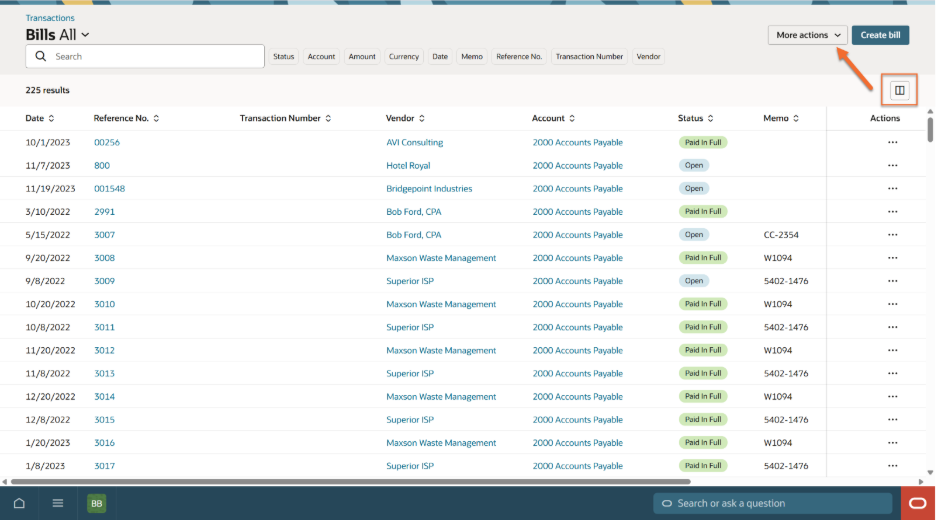
- Custom buttons and scripted fields on transaction records. Account-specific work tends to live here, and this is where an interface change is most likely to surface something. Note that fewer buttons show with the new UI, so you may need to click a “more” button.
- Roles and permissions for every person who touches the close. Test as a staff accountant, as a controller, and as whoever owns intercompany. The administrator doing the testing sees a different NetSuite than any of them, and the staff accountant is the one who will call you at 7 p.m. on day two of the close.
- Printed and PDF output. Invoices, statements, and anything that leaves the building and lands in front of a customer or an auditor.
- Your month-end checklist, step by step. If a step says "navigate to X and click Y," confirm X and Y are still where the checklist says they are. Then update the documentation, because you will not remember to do it later.
- One full close, start to finish, before you commit. One close will tell you more than a month of demos.
What does Ask Oracle change about your permissions and your audit trail?
Ask Oracle operates within your existing roles and permissions. That is the right design. It also means whatever segregation of duties you have built is now doing a second job. If a role can see payroll detail through a saved search, that role can ask about payroll detail in normal language and get an answer back in seconds, in a format that is easy to paste somewhere else.
What changes is how visible your existing permission structure becomes. Roles that were technically over-provisioned but practically harmless, because nobody knew the report existed, stop being practically harmless when anyone can ask for the number in plain language.
Two things to do about it:
- Review what each role can already see before you enable Ask Oracle for it. That is a one-afternoon exercise that will save you a much longer conversation later.
- Get familiar with the Show Explanation button early. The first time an auditor asks how a number in your workpapers was produced and the honest answer involves an AI assistant, you want to already know what that explanation looks like.
What happens to the SuiteApps you already run with NetSuite Next?
I work on SuiteApps for a living.
Products built natively on NetSuite, including Netgain's, live inside your account rather than alongside it. They use the same records, the same roles, and the same data model. Oracle's guidance is that SuiteApp functionality carries through the transition.
What I would still do is ask every vendor in your stack the same three questions, and ask them now rather than in December:
- Have you tested your application in a NetSuite Next preview account, and what did you find?
- Which parts of your interface are custom, and how do they behave under Redwood?
- What is your support position if something in your product looks different after we activate?
A vendor who has already done the work will have an answer. A vendor who has not will say they are monitoring the situation, which tells you where you stand.
Where should you start?
If you take one thing from this: the decision in front of you is about timing and sequencing. When you move, in what order, and how much cleanup you do first.
Spin up a preview account. Run one close in it. Make a list of every custom thing that behaves differently and every checklist step that needs rewriting. Ask your SuiteApp vendors what they have tested.
If you are going to SuiteWorld this year, think through your processes and write down any questions you have so you can leave with answers and solutions before any problems come up. And if you want to see what purpose-built accounting automation looks like running natively in NetSuite, explore Netgain's products and judge for yourself.
Bonus: A few tricks as you start testing
- NetSuite Next access is determined by role, but you don't enable it on the role record. Type NetSuite Next in your search bar or go to Setup > Company > NetSuite Next to find the page where you can enable Next for specific roles.
- Once NetSuite Next is on for your role, you switch via the drop down where you would normally switch between your roles. Hover over your name in the top-right corner and click the Switch to NetSuite Next button.
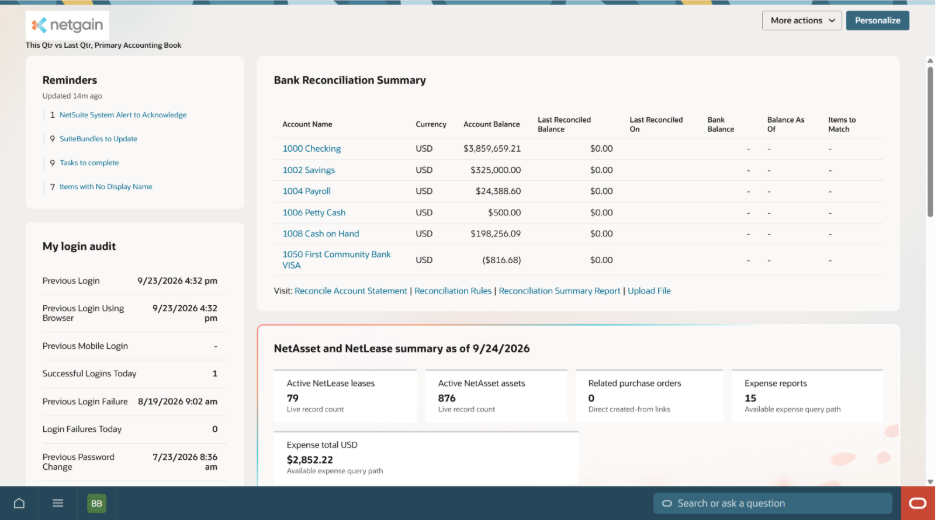
- Ask Oracle is the red button in the bottom right-hand corner. Your search bar is now the “Search or ask a question” bar next to it. They both use AI, but when people talk about “Ask Oracle” they mean the side bar that opens when you click the red button.
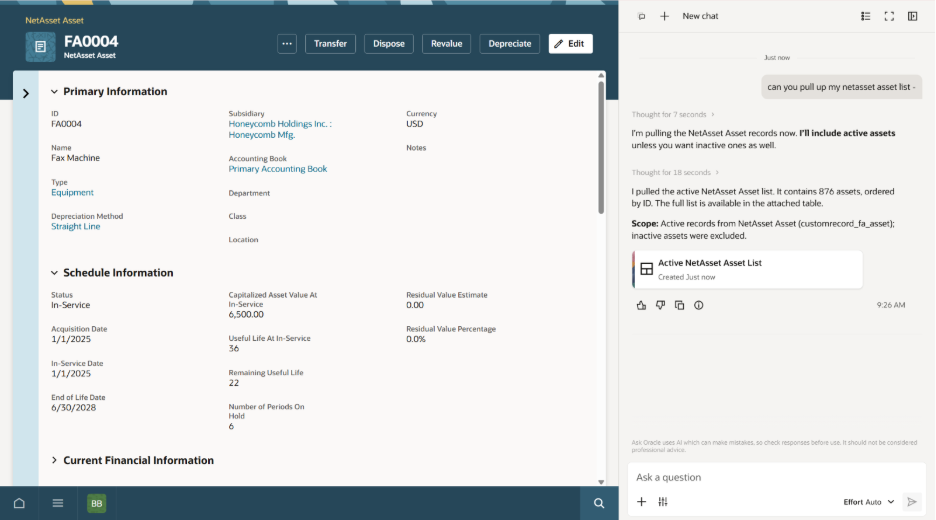
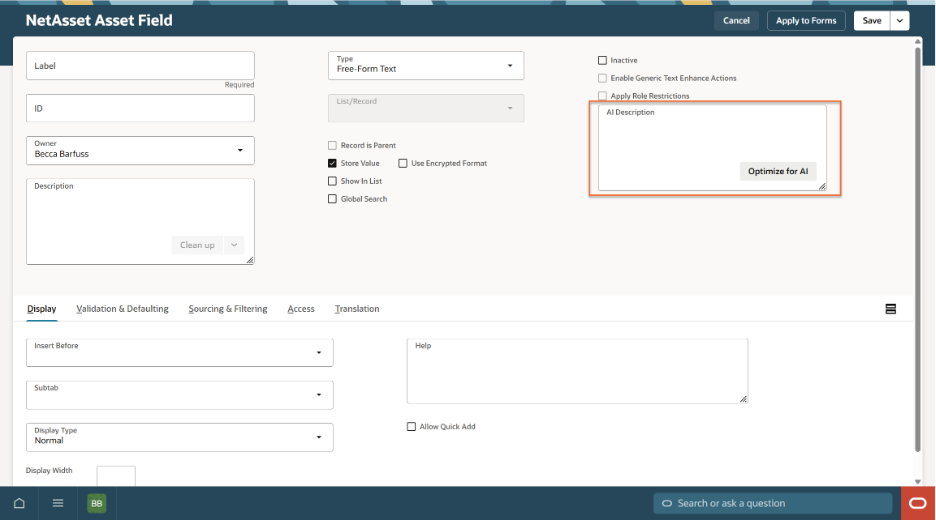
- Every field in NetSuite now has an AI Description on its Field Record. This is what Ask Oracle and your new search bar use for context. It's worth going into the custom fields your team relies on most to populate the AI Description so Ask Oracle can be accurate.
- Saved search behavior got an update. You can now manage columns directly from the saved search page and then save that view as a new list via the More Actions drop down.